SERPsKit SEOTable: A Free WordPress Table Plugin

SERPsKit SEOTable is a free WordPress table plugin that lets you create fully responsive tables directly inside the Gutenberg block editor, with color-coded badges, row hover effects, and a centralized dashboard to customize every visual detail.
I built this plugin because I needed a clean, fast way to add tables to my content without installing a heavy page builder or relying on shortcodes. Most table plugins either do too much or look outdated. I wanted something that does one thing well: tables that look professional, load fast, and work on any screen size.
Why I Built Another Table Plugin
If you search for the best table plugin for WordPress, you will find dozens of options. Some are packed with features you will never use. Some require a premium license just to change a background color. And some load three JavaScript libraries on every page whether you have a table or not.
I did not need a spreadsheet inside WordPress. I needed a table that works natively in the block editor, outputs clean semantic HTML, and gives me control over styling without writing CSS. That is what SERPsKit SEOTable does. Learn how to use it:
What You Get
SERPsKit SEOTable is a single Gutenberg block. You add it to any post or page, set the number of columns and rows, and start entering data. Everything happens inside the WordPress editor. No separate interface. No shortcode to paste.
Here is what the plugin includes:
- Table block: Create tables with as many columns and rows as you need. There is no limit. Each cell supports plain text, and you can mark any cell as bold or add a badge.
- Five badge colors: Green, blue, amber, red, and gray. Use them to highlight ratings, categories, or status indicators across your table. Each badge has a distinct background and text color combination designed for readability.
- Row hover effect: When a visitor moves their mouse over a table row, the background color shifts slightly. This is a small detail that makes dense tables easier to scan. The hover color is customizable from the dashboard.
- Alternating row colors: Even and odd rows use different background shades by default. This improves readability on long tables. Both colors are adjustable.
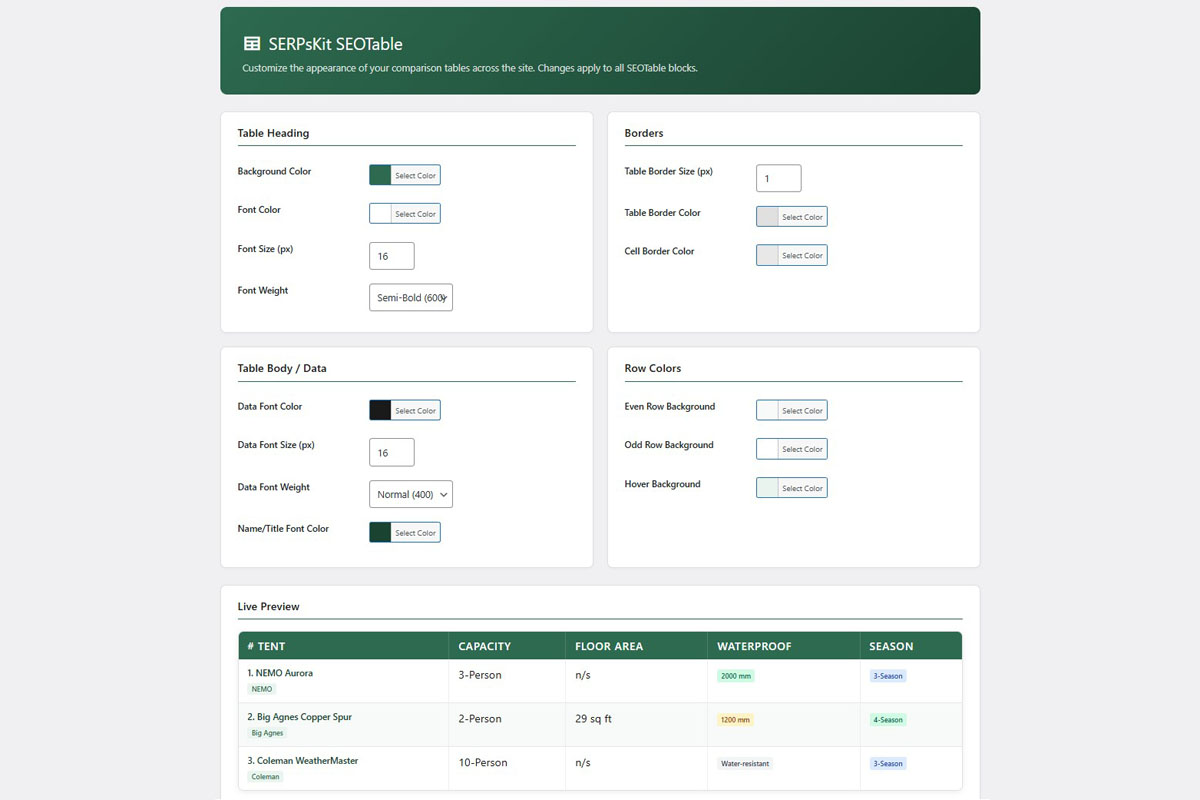
- Dashboard settings: A dedicated settings page lets you control the table heading background color, heading font size and weight, cell border size and color, data font size and color, row background colors (even, odd, and hover), and the name/title cell color. Changes apply to every SEOTable block across your site.
- Theme font inheritance: The plugin does not force its own font. Tables use whatever font your WordPress theme defines. This means your tables always match the rest of your content.
- Mobile responsive: On small screens, the table container scrolls horizontally with smooth touch support. No content is hidden or collapsed. Your visitors see the full table on any device.
- Convert existing tables: If you already have a WordPress default table block, you can transform it into a SEOTable block with one click. Select the core table, open the block toolbar, and choose “Transform to SEOTable.” Your data carries over automatically.
- Lightweight: The plugin loads CSS only on pages that contain a SEOTable block. No JavaScript is loaded on the frontend at all. The hover effect uses pure CSS. Pages without tables load zero additional assets from this plugin.
How It Works in Practice
Let me walk through a typical use case. Say you are writing a product roundup comparing five wireless earbuds. And you want to show the brand, price, battery life, noise cancellation rating, and your verdict for each product.
You open your post in the WordPress editor, click the block inserter, and search for “SEOTable.” You set 5 columns and 5 rows. The first row becomes your product images or names. Each subsequent row is a specification. You type your data directly into the cells.
For the noise cancellation rating, you select a green badge for “Excellent,” an amber badge for “Good,” and a gray badge for “Basic.” These visual cues let your readers scan the table quickly without reading every cell.
You save the post. On the frontend, the table renders as a clean HTML table with alternating row backgrounds, a colored header, and subtle hover effects. On mobile, it scrolls smoothly. The whole thing loads in milliseconds because there is no JavaScript overhead.
Who Is This For
SERPsKit SEOTable is for bloggers, affiliate marketers, and content creators who regularly publish comparison content & tables. If you write product reviews, buying guides, feature comparisons, or any content where side-by-side data helps your reader make a decision, this plugin handles the presentation. A side by side comparison table example:
Wifi Gaming Mouse Comparison Table Example:
| Gaming Mouse | Sensor / Max DPI | Weight | Battery Life | Buttons | Connectivity |
|---|---|---|---|---|---|
| ASUS ROG Harpe Ace Aim Lab Wireless Esports Gaming Mouse | ROG AimPoint / 36,000 DPI | 54 g | 90 hours | 5 | Bluetooth, RF, USB |
| Logitech G PRO 2 LIGHTSPEED Wireless Gaming Mouse | HERO 2 / 32,000 DPI | 80 g | 95 hours | 4 | RF, USB |
| Logitech G PRO X Superlight Wireless Gaming Mouse | HERO / 25,600 DPI | Under 63 g | 70 hours | 5 | Proprietary wireless |
| Razer Viper Ultimate Lightweight Wireless Gaming Mouse | Optical / 20,000 DPI | 74 g | 70 hours | 8 | Wireless |
| Logitech G309 LIGHTSPEED Wireless Gaming Mouse Logitech | HERO 25K / 25,000 DPI | 86 g with AA / 68 g with POWERPLAY | 300+ hours with AA | 6 | RF, USB, Bluetooth |
| Razer Basilisk V3 Pro Wireless Gaming Mouse | Focus Pro / 30,000 DPI | 3.84 oz (about 109 g) | 110 hours HyperSpeed / 150 hours Bluetooth | 11 | 2.4GHz Wireless, Bluetooth, USB |
| Corsair NIGHTSWORD RGB Gaming Mouse | Pixart PMW3391 / 18,000 DPI | 119–141 g adjustable | Wired | 10 | Wired |
| Logitech MX Vertical Wireless Mouse | Optical / 4,000 DPI | 0.5 lb (about 227 g) | 4 months | 4 | USB / wireless |
It is also a good fit if you have been looking for a lightweight WordPress table plugin that does not slow down your site. If your current table solution loads jQuery, multiple CSS files, or renders tables with JavaScript, switching to SEOTable will reduce your page weight.
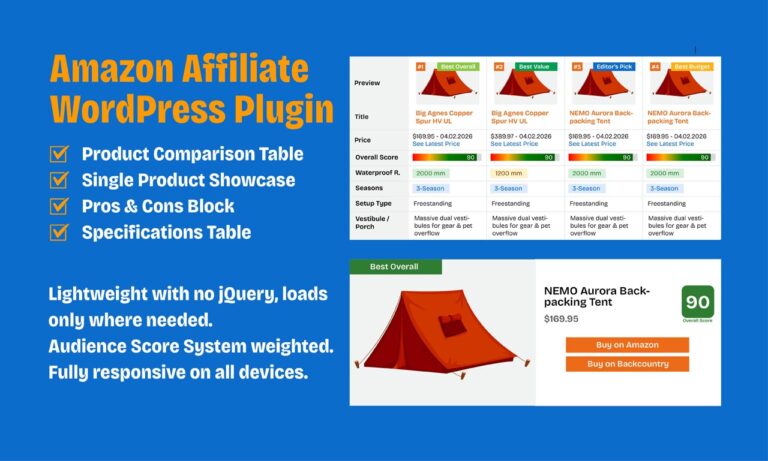
If you also publish Amazon affiliate content and need product comparison tables with score bars, affiliate buttons, and pricing, check out Amazon Affiliate Kit, my dedicated affiliate plugin built on the same lightweight approach.
What It Does Not Do
This is not a spreadsheet plugin. It does not do formulas, sorting, filtering, or data import from CSV files. And it does not have a drag-and-drop visual builder. It is a Gutenberg table block with clean styling and a settings dashboard. If you need advanced data manipulation, this is not the right tool.
If you need a free table plugin for WordPress that focuses on presentation quality and page speed, this is what I built it for.
Technical Details
SERPsKit SEOTable requires WordPress 5.8 or higher and PHP 7.4 or higher. It uses the Gutenberg block editor exclusively. The Classic Editor is not supported. The plugin is compatible with any theme that supports the block editor.
Tables are stored as block attributes in your post content. There is no custom database table. If you deactivate the plugin, your table data remains in the post and restores when you reactivate.
Try It
SERPsKit SEOTable is available for free on WordPress.org. Install it from your WordPress dashboard under Plugins, search for “SERPsKit SEOTable,” and activate. The settings page appears under the SEOTable menu in your admin sidebar.
If you have questions or run into an issue, the plugin documentation is available at serpskit.com. Full setup instructions, block usage guide, and dashboard settings reference are all covered there.